

Tenant Member Management
| Applicable Role |
|---|
| Tenant Administrator |
Prerequisites
You have registered for gahorouter and hold the Tenant Administrator role.
Entry Point
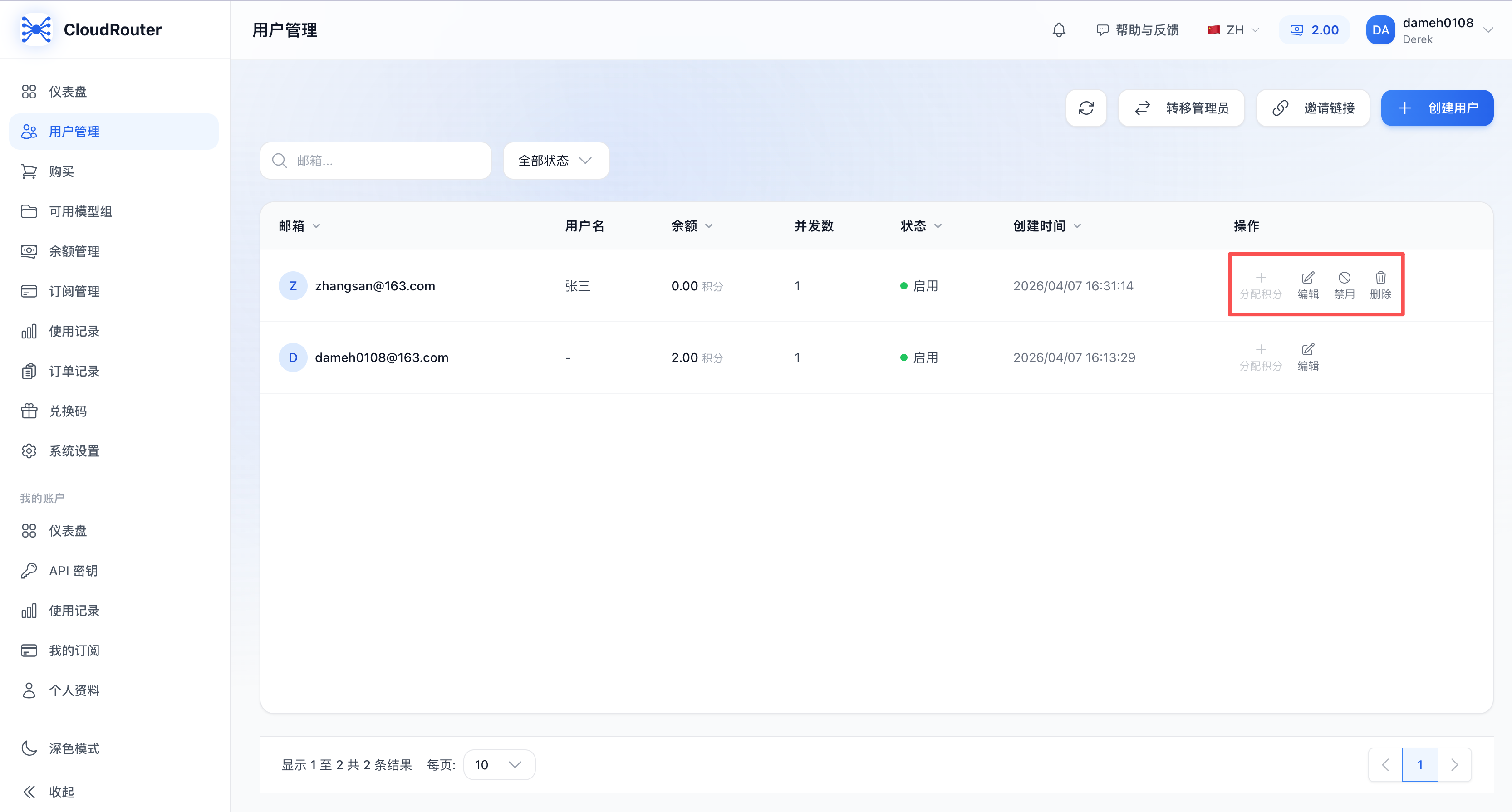
After members join, you can manage them in the user list:
Finding Members
- Enter a keyword in the search box at the top of the page; the system performs a fuzzy search by username or email.
- Use the status filter dropdown to filter the list by All / Enabled / Disabled.
Editing a Member
- Find the target member in the user list.
- Click "Edit" in the action column.
- Modify the username and other information in the pop-up edit dialog.
- Click "Confirm" to save.
Disabling / Enabling a Member
- Click "Disable" (or "Enable") in the action column.
- After being disabled, the member will be unable to log in and use services; after being enabled, normal access is restored.
Note: A tenant administrator cannot disable their own account. To change the administrator, use the "Administrator Transfer" feature.
Deleting a Member
- Click "Delete" in the action column.
- Click "Confirm" in the confirmation dialog.
- After deletion, the member will be removed from the tenant.
Note: A tenant administrator cannot delete their own account.
FAQ
Q1: How do I transfer administrator privileges to another member?
A: Use the "Administrator Transfer" feature on the settings page of the console, select the target member, and enter your login password to confirm. After the transfer, you will become a regular user, and the target member will become the new tenant administrator.
Q2: After a member is deleted, does their data still exist?
A: After a member is deleted, the member will be unable to log in and use services. The related usage records and usage statistics remain in the system and will not be deleted.
Notes
- A tenant administrator cannot disable or delete themselves. To change the administrator, use the Administrator Transfer feature first.
- Every member operation consumes credits from the tenant's balance pool, so please plan your team's usage reasonably.
Contact Us
If you encounter any issues during use, please contact us promptly.